Overview
The Quick Start Demo video shows how Quallie.Ai helps you make your research process faster without compromising quality. You'll see how to upload and transcribe interviews, assign speakers, ask questions, trace answers back to their exact moments, and create video clips to share.
1. Upload interview
Easily upload your research interviews, focus groups or community studies to Quallie.Ai. • Click Upload Interview on your dashboard. • Select your audio or video file from your computer, Google Drive or OneDrive. • Quallie.Ai automatically transcribes your content in over 50 languages, delivering a precise text version ready for analysis.
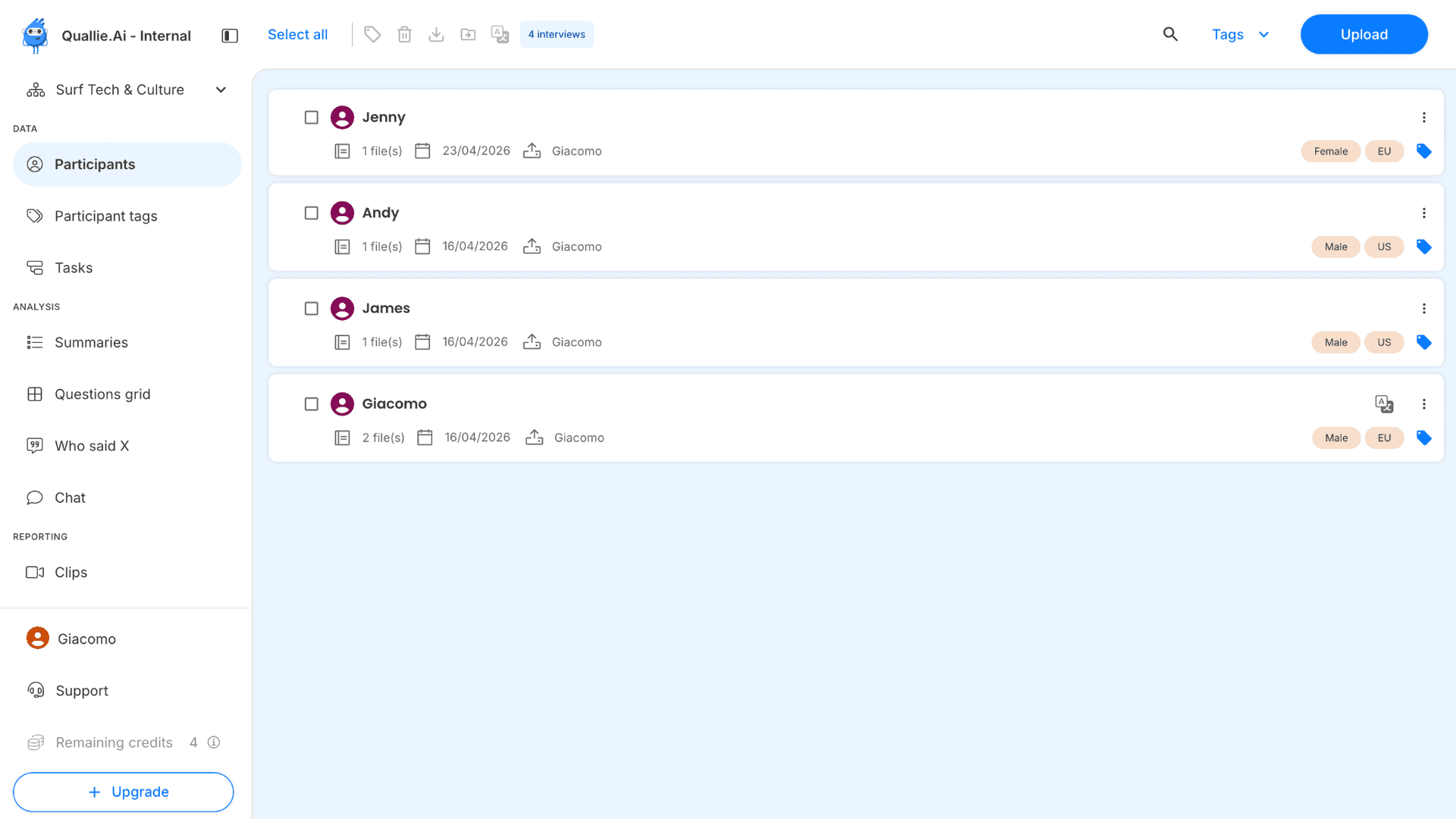
2. Assign tags
Once the transcription is ready, speakers are automatically assigned and a summary is generated. It is now time to assign tags, which prove very useful to organise and analyse your data.
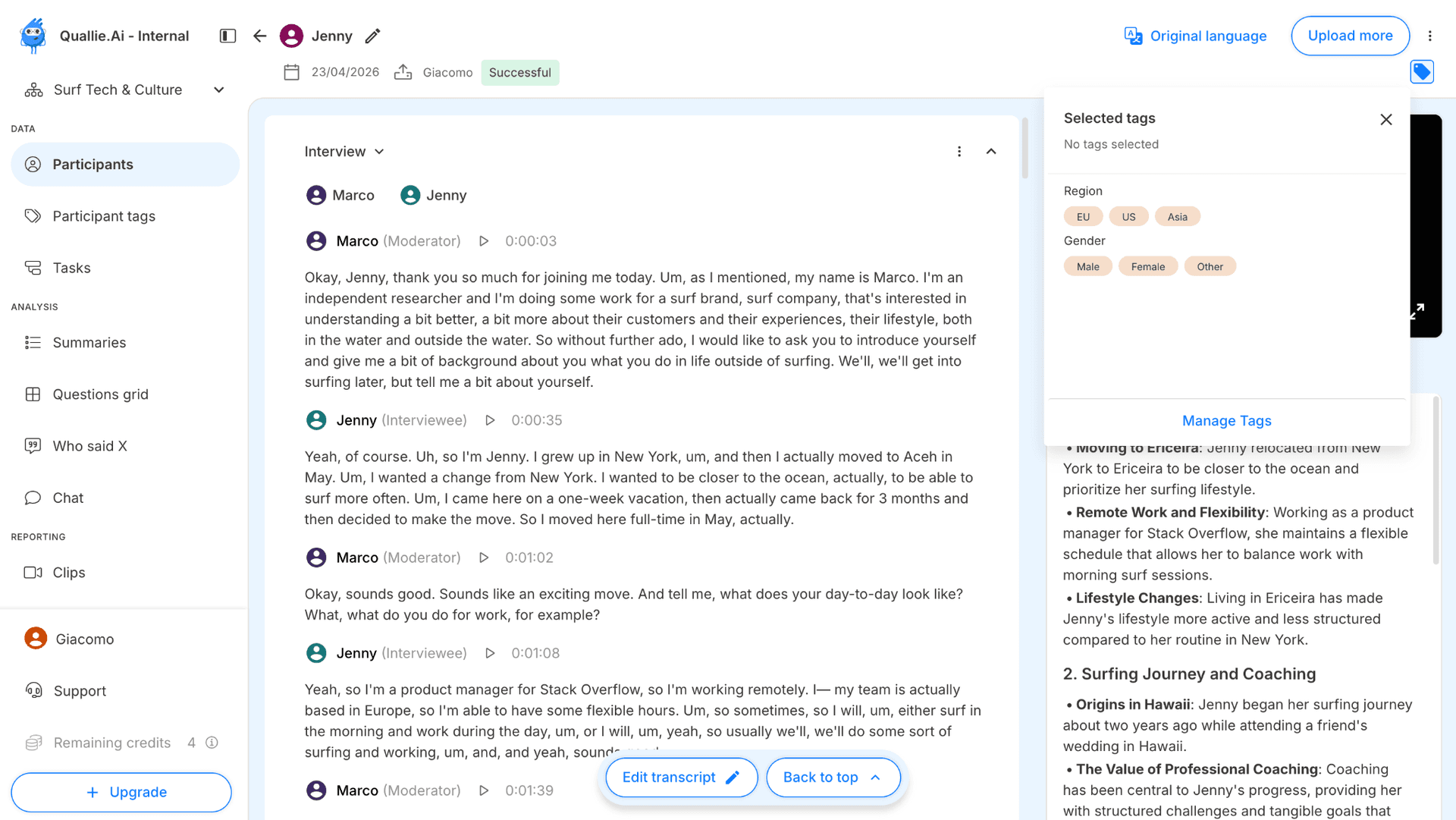
3. Ask question
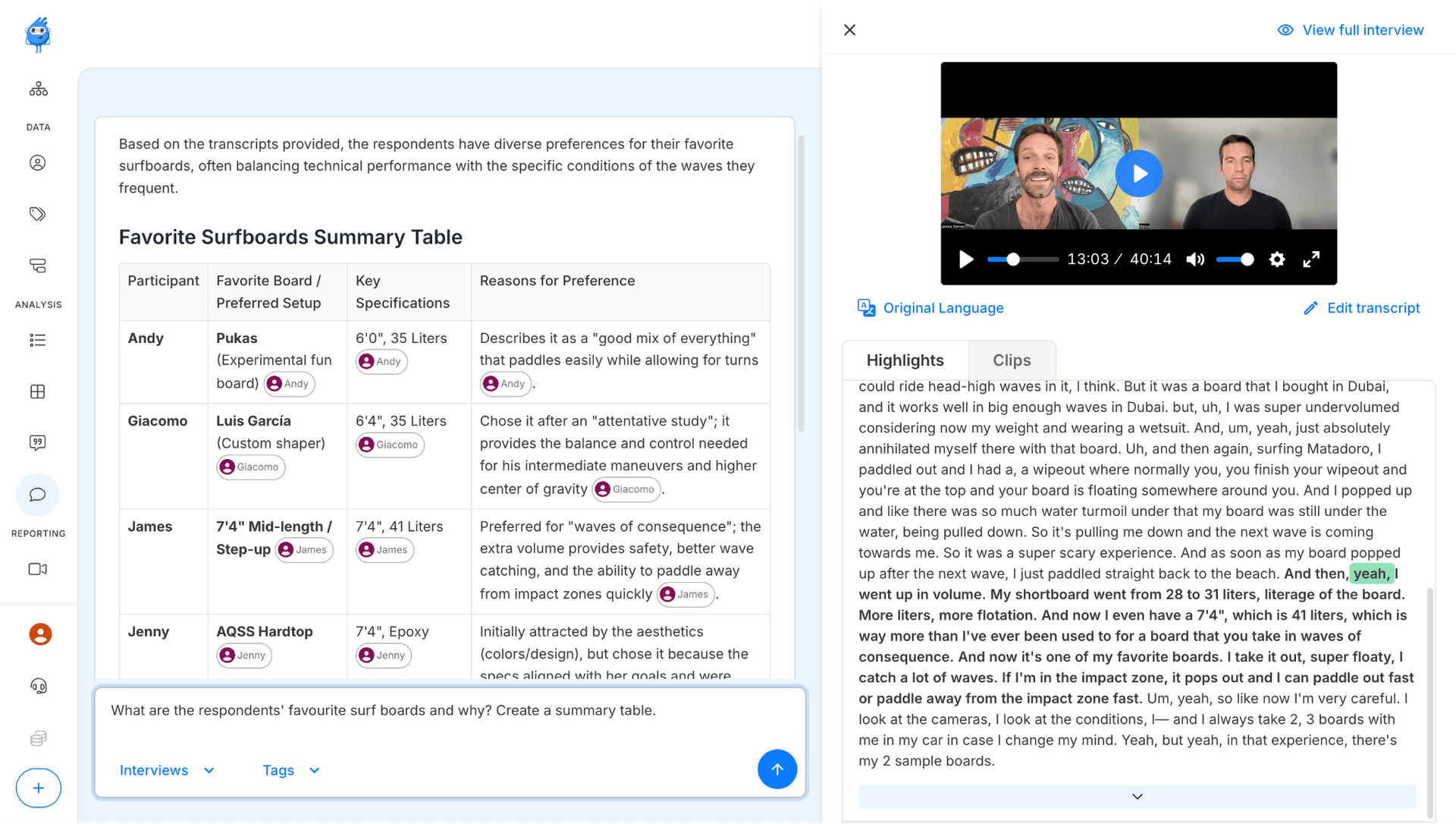
Analyze your data effortlessly by asking your own research questions: • Access the Chat function and ask a question.
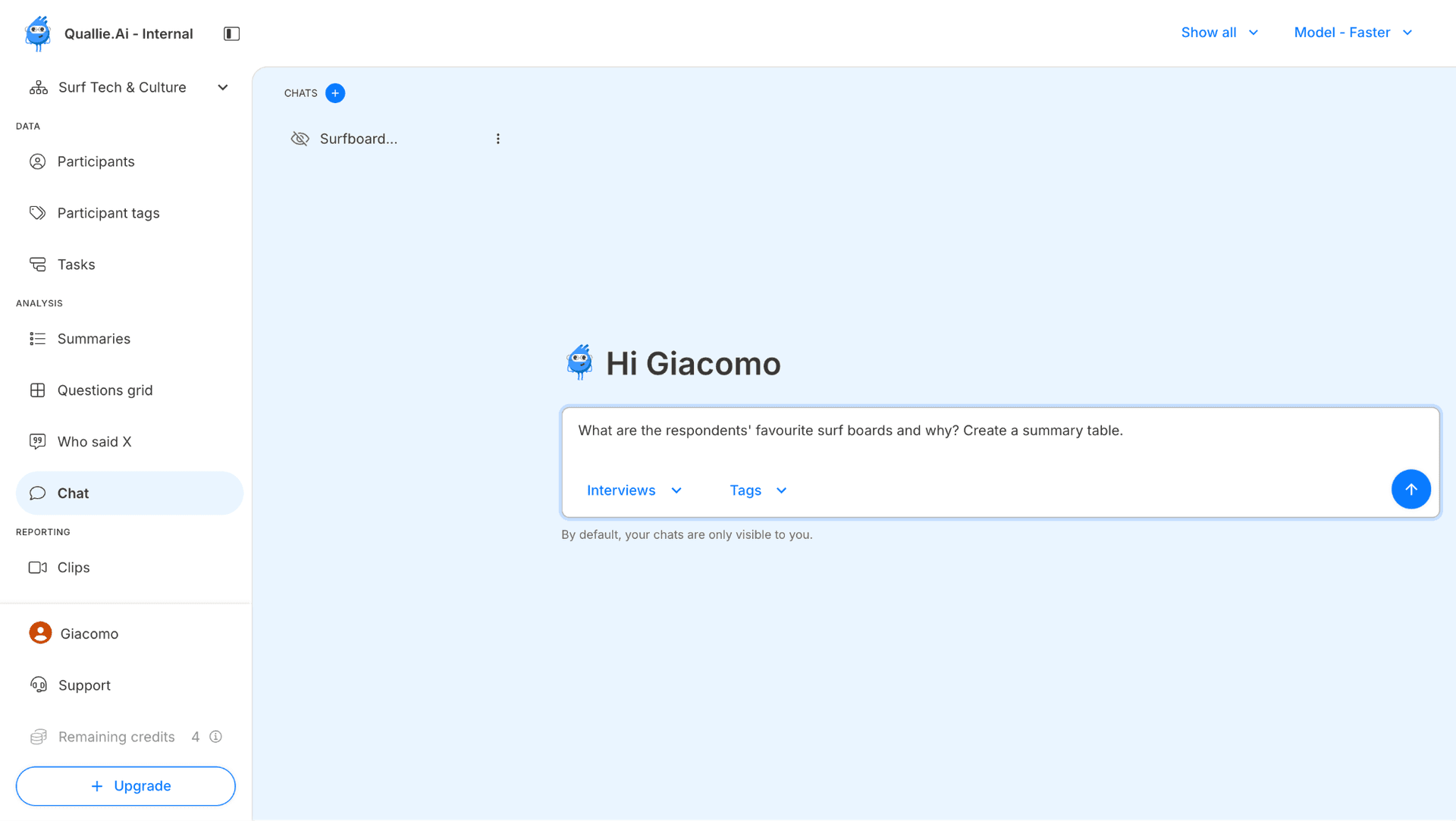
4. Open source data
Dive deeper into your findings at any time: • Click on any answer to see exactly where it was mentioned in the interview. • Rewatch the original moment in context with a simple playback feature.
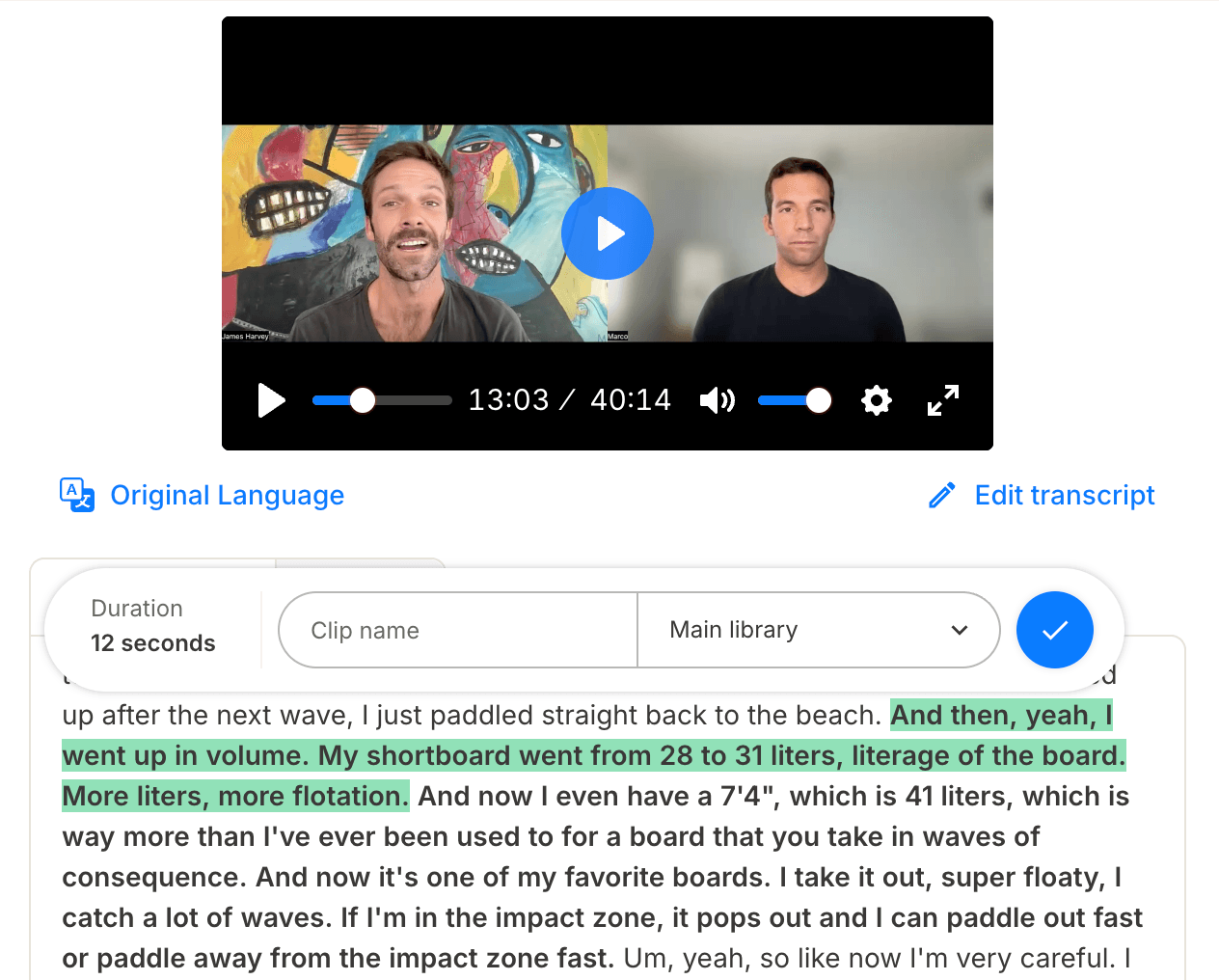
5. Clip video
Turn insights into shareable assets instantly: • Highlight important segments and create video clips on the spot. • Save or share them directly for reporting or collaboration.